Enable SpamAssassin
To enable SpamAssassin for a given mailbox, please follow these steps:
- Go to the Mail Manager section.
- Click on the Gear icon next to the email account, and select Filters. You can also click the number in the SA level column next to the email account from the email account's list. This will take you directly into the Spam and Antivirus subsection for the email account.
-
If SpamAssassin is disabled for your mailbox, you will see the following window:

- Click Use global (x/10) to enable SpamAssassin for the mailbox with the globally configured level. To set a custom level, click Use local, pick a level from the meter, and click Set.
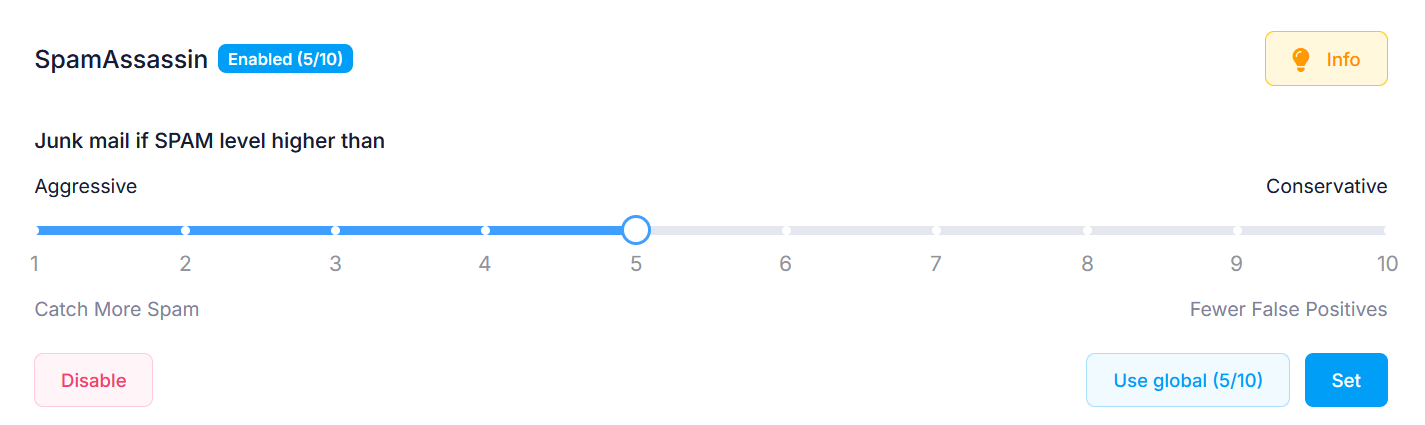
Incoming messages with а spam score higher than the spam level for the mailbox will be classified as spam. Setting the spam level to a low value (1/10) will probably cause legitimate mail to be incorrectly filtered as spam, and setting it to a high value (10/10) may lead to more spam messages reaching your mailbox.
If the SpamAssassin filter is enabled for a mailbox, it will not change the way messages from white- or blacklisted email addresses are handled. Messages from whitelisted email addresses will be delivered directly to your mailbox, and messages from blacklisted email addresses will be automatically classified as spam by the SpamAssassin filter. More details about the white and black lists are available in our White and Black listing section article.
You can change the spam level for the email account through that page by adjusting the spam level and clicking on Set.