Redis Object Cache
Redis is an in-memory caching service. It stores frequently requested data in memory so your website or application does not need to generate the same data repeatedly. Redis Object Cache is especially useful for dynamic platforms such as WordPress, WooCommerce, and other applications, where object caching can improve performance by reducing repeated database requests.
Redis is fully integrated into the Control Panel through a dedicated Redis Object Cache section.
- Create a Redis instance
- Connect WordPress to Redis
- Connect another application to Redis
- Purge the Redis cache
- Start or stop a Redis instance
- Redis instance status
Create a Redis instance
If Redis has been purchased as an upgrade option, the Redis instance is created automatically.
On plans with WebApps support, no separate Redis purchase is required. To start using Redis, open the Redis Object Cache section in the Control Panel, click Create, and choose the memory size for the instance.
If you are not sure whether Redis is included in your hosting plan, please contact us and we will be glad to assist you.
Connect WordPress to Redis
You can connect WordPress to Redis either during a new installation or later through the WordPress Manager in the Control Panel. This eliminates manual configuration and lets you enable Redis caching for WordPress with just a few clicks.
For a new WordPress installation:
- Start a new WordPress installation from the WordPress Manager in the Control Panel.
- Next to Redis Object Cache, click Manage:

- Select the Redis instance you want to use:
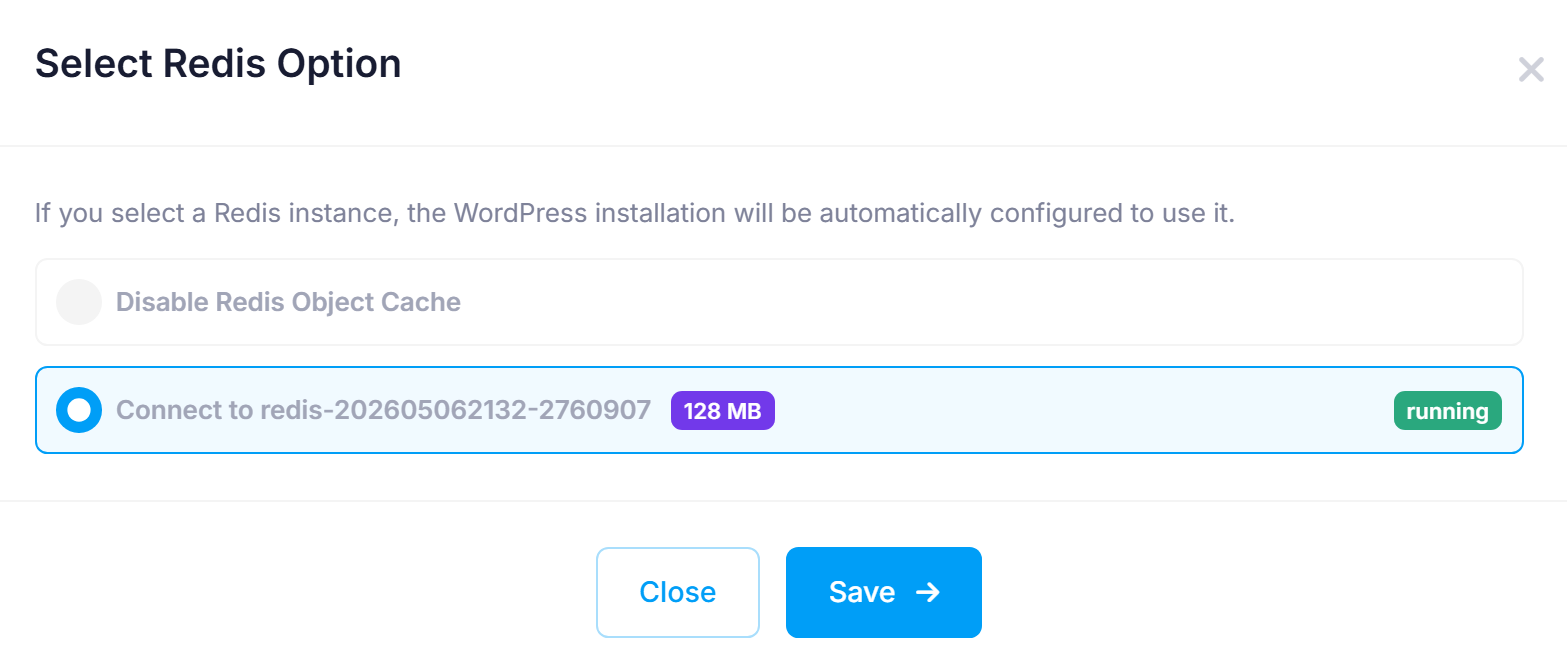
- Click Save.
- Complete the installation.
For an existing WordPress installation:
- Open WordPress Manager in the Control Panel.
- Open the management page for the WordPress installation.
- In the Performance section, click Manage next to Redis Object Cache:
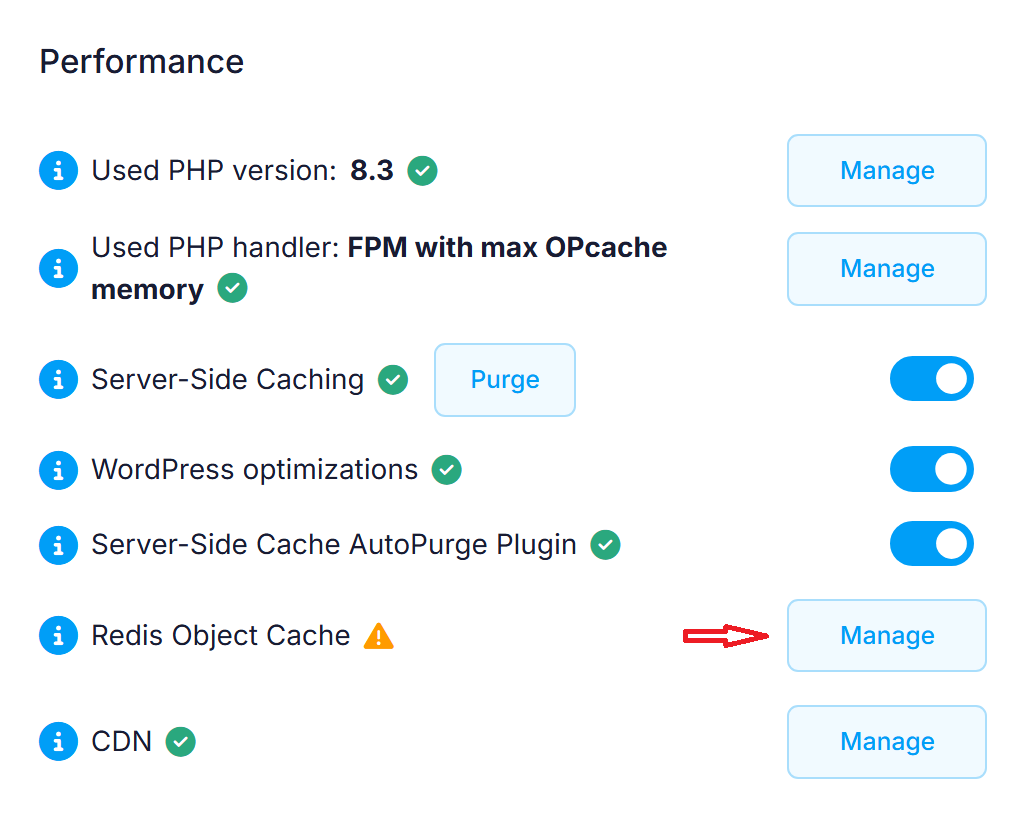
- Select the Redis instance you want to use:
- Click Save.
Note: WordPress Manager automatically installs and configures the Redis Object Cache plugin. If another object caching solution is already enabled in WordPress, you must disable it before connecting the site to Redis, or reconfigure it manually to use the listed Redis socket. Only one object caching solution can be active in WordPress at a time.
Connect another application to Redis
You can also use Redis with other applications that support Redis connections. Your application must be configured to connect to Redis over a Unix socket.
- Open the Redis Object Cache section in the Control Panel.
- Locate the Redis instance you want to use.
- Click the socket path, marked with a power plug icon, to copy it to the clipboard:
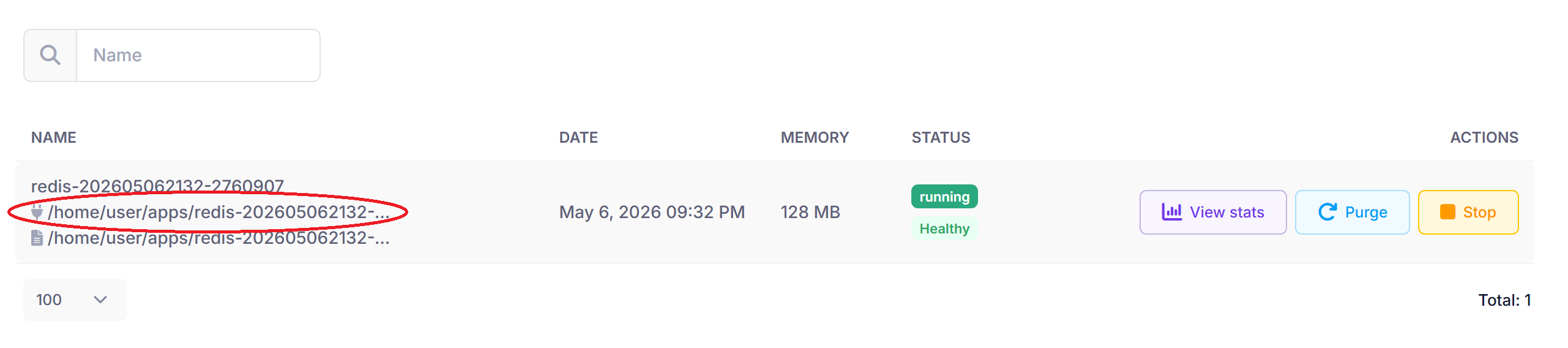
- Use the copied socket path in your application's Redis configuration.
Note: If your application uses PHP, you must enable the Redis PHP extension. To do this, open the PHP Settings section in the Control Panel and click Manage (gear icon) for the subdomain you want to configure (for the main website, this is the www subdomain). On the PHP settings page, enable the Redis extension and then click Save changes.
Important: The Redis instance integrated into the Control Panel is non-persistent. It is designed for object caching and temporary data only and must not be used for permanent data storage. Redis is configured with the maxmemory-policy allkeys-lru eviction policy, which means the least recently used keys can be removed automatically when the memory limit is reached.
Purge the Redis cache
Purging the cache can be useful after major content changes, configuration updates, or when troubleshooting. To purge the cache:
- Open the Redis Object Cache section in the Control Panel.
- Locate the Redis instance you want to manage.
- Click Purge next to that instance.
This removes the currently cached data from the selected Redis instance. The Redis instance itself remains active and your application can continue using it.
Start or stop a Redis instance
You can start or stop a Redis instance at any time:
- Open the Redis Object Cache section in the Control Panel.
- Locate the Redis instance you want to manage.
- Click Start or Stop next to that instance.
Warning: If you stop a Redis instance, any applications that use it may stop working until the instance is started again.
Redis instance status
The Status column shows the current condition of the Redis instance based on its memory usage and cache activity:
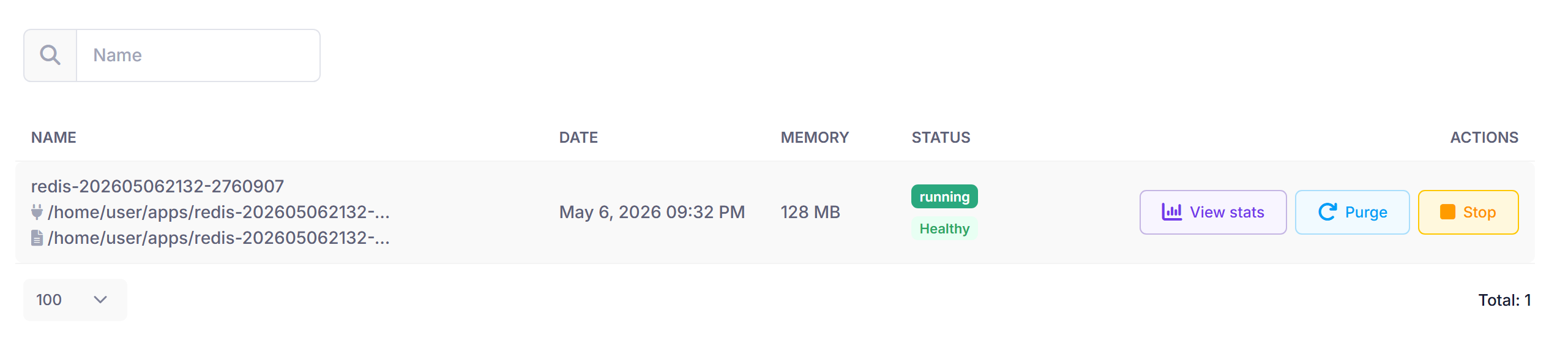
- Healthy - The current memory allocation is sufficient for the present workload.
- Moderate - The cache usage is approaching the current memory allocation. Monitor the hit rate and evictions to maintain optimal performance.
- Strained - The cache is near capacity and evicting items. The current memory allocation may be insufficient for the present workload. Consider increasing the memory allocation if this status continues.
Click View stats to view the instance statistics:
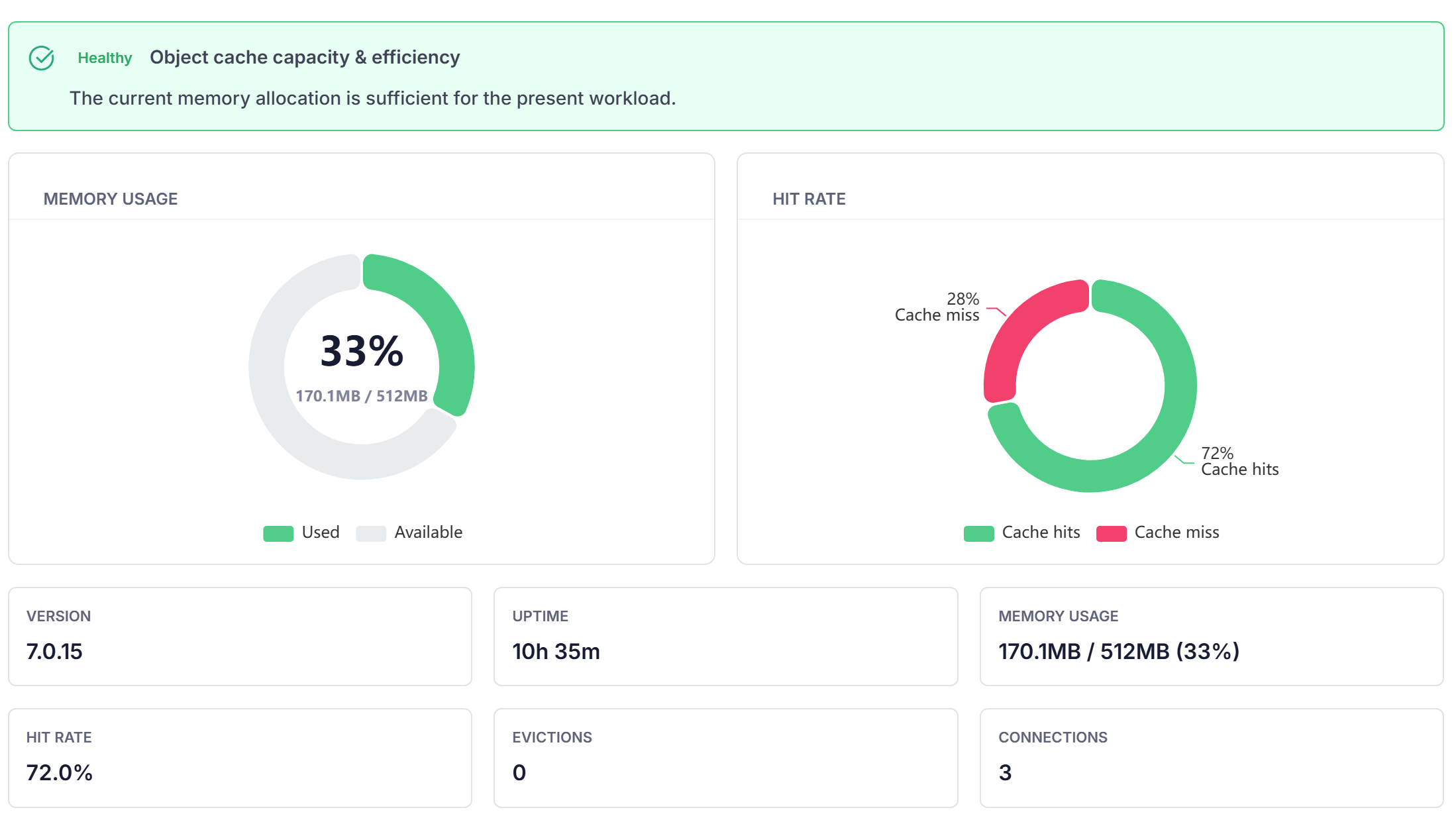
The statistics window shows the current status of the instance and key metrics such as memory usage, hit rate, evictions, connections, and operations per second. It also includes charts for memory usage and cache efficiency, helping you assess whether the current memory allocation is sufficient.