Optimizing WordPress
You can easily improve your WordPress website’s performance by enabling output compression and browser caching, and by having the server handle 404 (Not Found) errors for static content directly instead of passing them to WordPress. Follow these steps:
- Go to the WordPress Manager in the hosting Control Panel.
- Click on the Manage button next to your WordPress installation.
- Make sure that the WordPress optimizations toggle in the Performance section is turned on.
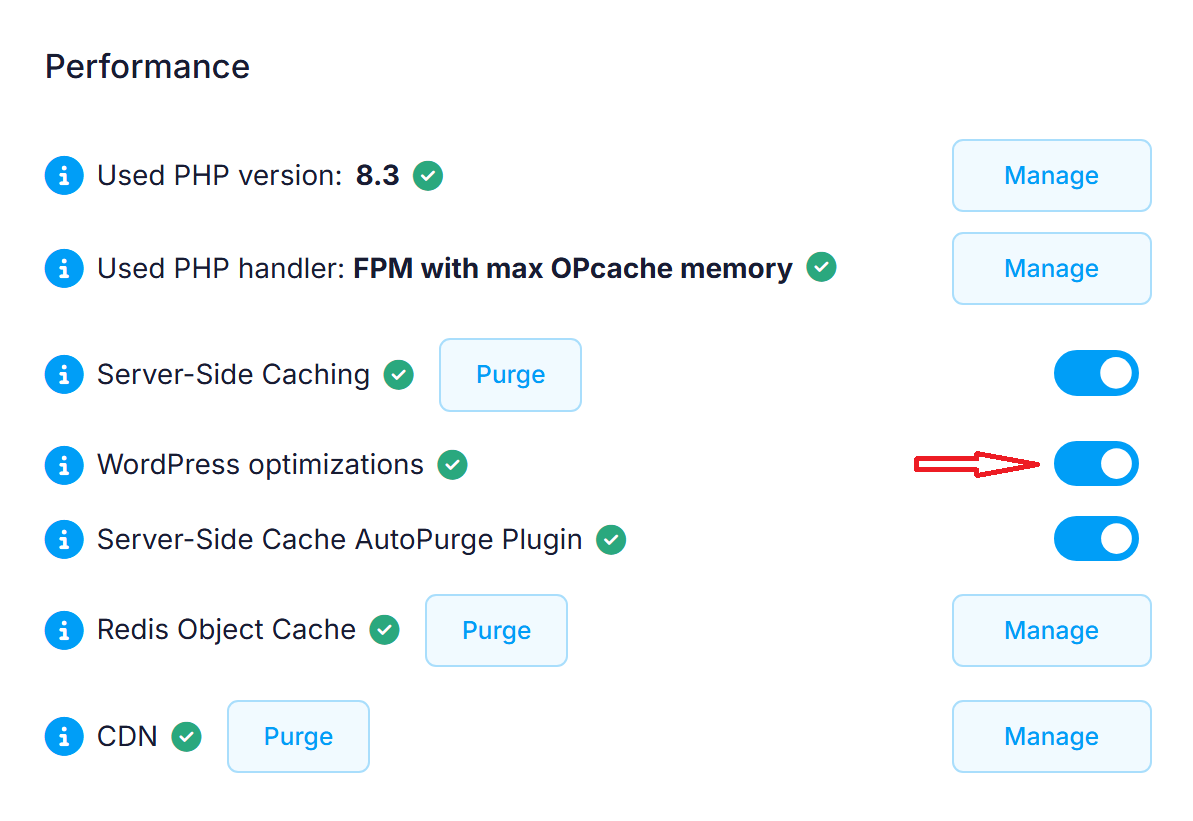 This will add the following code block to the .htaccess file of your WordPress installation:
### BEGIN Optimization enabled via Control Panel > WordPress ###
<IfModule mod_deflate.c>
 # Insert filters according to https://codex.wordpress.org/Output_Compression
 AddOutputFilterByType DEFLATE text/plain text/html text/xml text/css text/javascript application/xml application/xhtml+xml application/rss+xml application/javascript application/x-httpd-php application/x-httpd-fastphp image/svg+xml
</IfModule>

## Leverage browser caching ##
<IfModule mod_expires.c>
 ExpiresActive On
 ExpiresByType image/jpg "access 1 year"
 ExpiresByType image/jpeg "access 1 year"
 ExpiresByType image/gif "access 1 year"
 ExpiresByType image/png "access 1 year"
 ExpiresByType text/css "access 1 month"
 ExpiresByType text/javascript "access 1 month"
 ExpiresByType application/pdf "access 1 month"
 ExpiresByType application/x-javascript "access 1 month"
 ExpiresByType application/javascript "access 1 month"
 ExpiresByType application/x-shockwave-flash "access 1 month"
 ExpiresByType image/x-icon "access 1 year"
 ExpiresDefault "access 2 days"
</IfModule>
## Leverage browser caching ##

## Skip 404 error handling by WordPress for static files ##
<IfModule mod_rewrite.c>
 RewriteEngine On
 RewriteCond %{REQUEST_FILENAME} !-f
 RewriteCond %{REQUEST_FILENAME} !-d
 RewriteCond %{REQUEST_URI} !(robots\.txt|llms\.txt|sitemap.*\.(x(s|m)l(\.gz)?))
 RewriteCond %{REQUEST_URI} \.(css|js|html|htm|rtf|rtx|svg|svgz|txt|xsd|xsl|xml|asf|asx|wax|wmv|wmx|avi|bmp|class|divx|doc|docx|exe|gif|gz|gzip|ico|jpg|jpeg|jpe|mdb|mid|midi|mov|qt|mp3|m4a|mp4|m4v|mpeg|mpg|mpe|mpp|odb|odc|odf|odg|odp|ods|odt|ogg|pdf|png|pot|pps|ppt|pptx|ra|ram|swf|tar|tif|tiff|wav|wma|wri|xla|xls|xlsx|xlt|xlw|zip|webp|woff|woff2|eot|otf)$ [NC]
 RewriteRule .* - [L]
</IfModule>
### END Optimization enabled via Control Panel > WordPress ###
The Leverage Browser Caching code block is essential for preparing your WordPress installation for server-side caching. You can learn more about getting WordPress working properly with our server-side caching service in the Enabling server-side caching for WordPress article.
All WordPress applications pre-installed on the hosting account or installed through the hosting Control Panel > WordPress Manager are optimized by default.